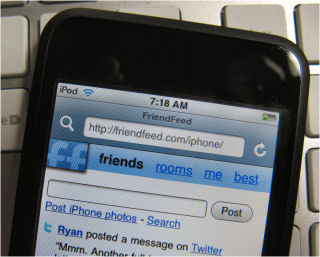
Yep, another major (large) website built something specifically for the iPhone. This time it is Friendfeed.com. If you don’t have an iPhone or iPod touch, you can visit…
…to see what it looks like. The photo above is the site on my iPod touch.
Yep, another major (large) website built something specifically for the iPhone. This time it is Friendfeed.com. If you don’t have an iPhone or iPod touch, you can visit…
…to see what it looks like. The photo above is the site on my iPod touch.
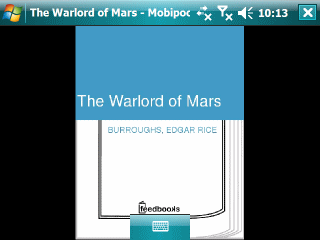
I decided to try out the free Mobipocket eBook reader on my HTC Advantage 7500 since that Windows Mobile Pocket PC (Professional Edition) has a big display and good battery life. I also downloaded a free ebook from Feedbooks.
Although the screencap above is in landscape mode, I ended up switching to portrait mode to actually read the book. I don’t recommend doing this (switching from landscape to portrait using Mobipocket’s internal screen control) though because it leaves the Advantage in this mode after exiting the reader and leaves it in a state where you cannot access parts of the screen. I had to soft reset the Advantage to get access to the screen. And, even then I had to manually change the screen orientation. A second attempt left a status bar at the bottom of my landscape oriented screen that would not go away until I soft reset the box again. So, I removed it and will not be trying it again.
The reading experience on a Pocket PC has never been a good one. I remember trying Microsoft Reader back when it used to come installed on Palm-size PCs. That was not a good experience either (though it did not mess with my display the way Mobipocket does). I’ll wait to see if an ebook reader appears for the iPhone/iPod touch (I have a touch). I suspect the ebook reading experience will be pretty good on that platform.
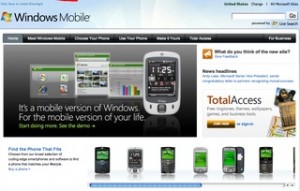
The Silverlight powered version of Microsoft’s WindowsMobile.com went live. But, in the process, it looks like a lot of links were broken. Jason Dunn, Tyson Greer, and I wrote a bunch of Windows Mobile 6 articles for Microsoft.com last year. All of these articles are still valid and apply to Windows Mobile 6.1 devices. If you search for any of our names, you will see links to these articles. But, all the links are broken. Too bad, there is a lot of good information for Windows Mobile device users that disappeared with these links.
As I’ve mentioned in the past, US mobile carriers really seem to dislike texting. T-Mobile is raising its rates fro 15 cents/text to 20 cents/text. It was as little as 10 cents/text about 18 months or so ago. However, it might be a good thing for T-Mobile subscribers who want to break their contract to go buy an iPhone 3G from AT&T Wireless. According to this RCR article…
T-Mobile USA subscribers get an out: Carrier raises texting fee
…this may constitute a material change of the contract you currently have and lets you get an early out of their contract without paying termination fees.
Speaking of Google… They launched a new Google Groups area…
This web area is for general mobile technology discussion. But, of course, Google encourages discussion about their own mobile products like Maps and Gmail.
For years Palm OS users rightly criticized that Windows Mobile for needing far too many taps and scrolling to enter the simplest calendar event or contact information. Although it looks like Palm OS will join the ranks of Wordstar, Lotus 1-2-3, and CP/M soon, the criticism is still valid. It is still a giant pain to enter contact information in Windows Mobile. And, don’t get me started on the effort needed to enter simple calendar event information that falls outside of the rigid structure of the Windows Mobile calendar. For example, let’s say you arrive somewhere at 4:34 pm and need to come back 1 hour later to feed the parking meter some coins. Count the number of steps to set that event. Yes, there are third party apps that you can add to your WiMo device. But, still, this is stuff that should be easy to do right out of the box.
If you want to get some people riled out, ask about setting calendar events for multiple time zones. For example, a person who lives in California sets a couple of local appointments for this week, a couple of appointments in New York the next, and Germany the week after that. It can get messy real fast unless you pay extreme attention to what you are doing with each appointment.
One of the things I’ve found myself doing for the past year is entering appointments and other calendar events in Google Calendar first because it is so much faster to type 2pm Attend meeting XYZ than enter something on my Smartphone or Pocket PC. Of course, I am usually at a full size keyboard when using Google Calender, so that is a huge bias. I haven’t looked how Google Android handles calendar and contacts entries. But, if it half as easy as Google Calendar, Windows Mobile is going to have a huge problem on its hands.
Microsoft needs to do two things. First, it needs to fix its Windows Live Calendar with its 20th century event entry form. Once it fixes it, it needs to be able to sync over the air with Windows Mobile devices.