Blog

  • MobileViews 600: Looking back and looking forward – especially the new budget MacBook Neo


    Jon Westfall and I (Todd Ogasawara) were joined by frequent guest panelist Frank McPherson who was on the podcast with me way back in 2008.

    Frank first joined us all the way back on Podcast #2 on Nov. 28, 2008, when the hot topic was the T-Mobile G-1—the very first Android phone. Jon hopped on board with Podcast 69 on Dec. 22, 2013, to discuss the transition from Windows Mobile/Phone to other platforms and Microsoft Project Siena.

    We also mentioned frequent guest panelists Sven Johannsen and Jack Cook on Podcast 109 in Feb. 2015, discussing the state of Windows Phone two years before it was discontinued.

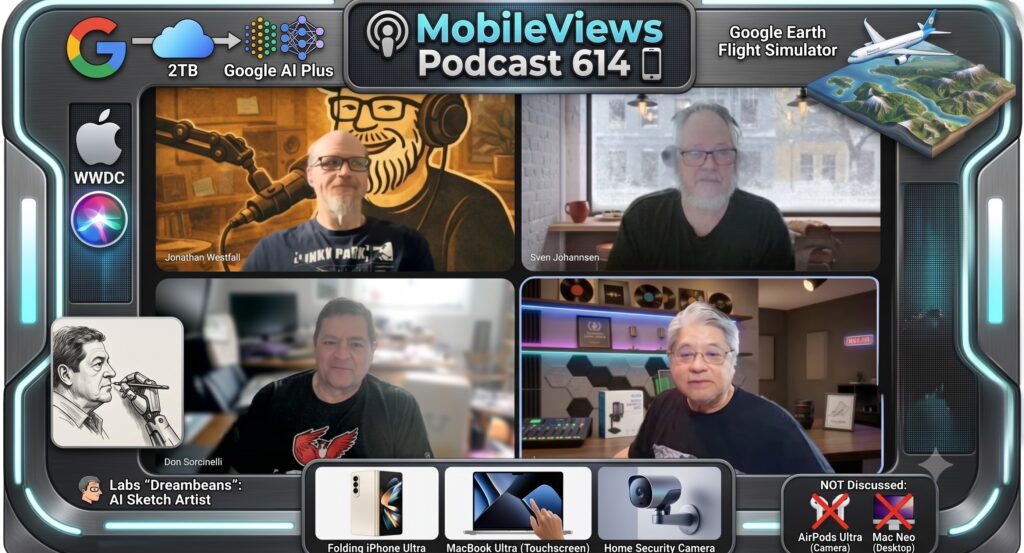
    Our discussions included Apple’s upcoming 50th anniversary on April 1, my anticipating the delivery of the new “budget” MacBook Neo A18 Pro powered laptop, Frank’s skeptic’s few on “what is low cost?”, and the Google March 2026 Pixel Drop. A key part of our discussion was how Android devices extend seamlessly to connected displays. This feature was previously enabled only in developer mode but is now a standard capability.

    Frank had some specific thoughts about Android desktop mode on his blog. I noted that while my Pixel 10 Pro supports this, I was disappointed to find that neither the Pixel Tablet nor the Samsung Galaxy Tab S10 FE does.

    Jon showed off his latest project: an Elecrow e-Ink screen which will be a remotely programmable office door sign. We also discussed the Elecrow CrowView Note, which is an interesting portable monitor with keyboard that functions as a “phone-to-laptop” device (somewhat reminiscent of the old Celio REDFLY Mobile Companion).

    Available via Apple iTunes.
    MobileViews YouTube Podcasts channel
    MobileViews Podcast on Audible.com
  • MobileViews 599: Nano Banana 2; budget Apple Macbook? EVE Motion sensor; what we lost when media went all digital?


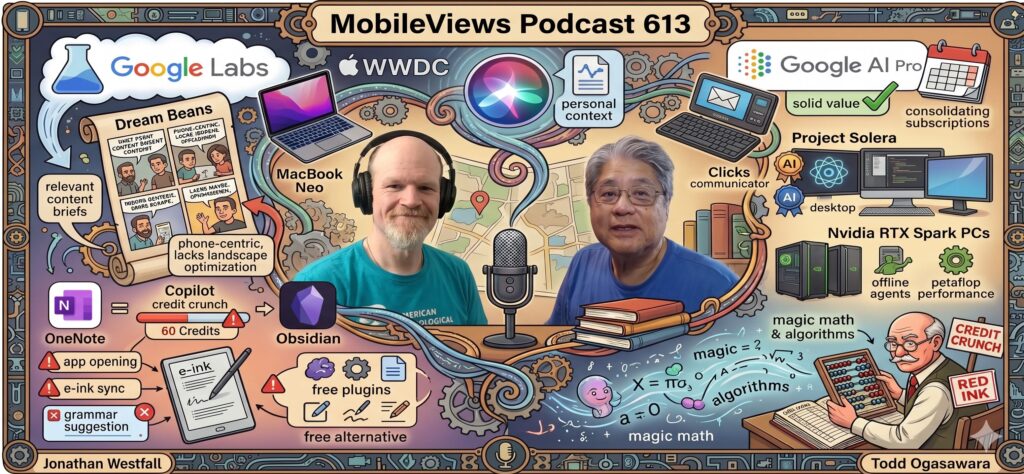
    In MobileViews Podcast episode 599, panelists Jon Westfall and I (Todd Ogasawara) are joined by frequent guest panelist Sven Johannsen.

    We start off with thoughts on the new Google Nano Banana 2 (Gemini 3.1 Flash Image), with Todd noting its impressive capabilities. I also shared a recent AI experiment where he fed his 100-song Apple Music Replay All Time list to Google Gemini Pro to generate a playlist for a brisk two-mile walk. The AI successfully curated a 12-song list in the 114-124 BPM range, remarkably close to my average heart rate during a brisk walk, pulling in tracks by his favorite artists that weren’t even on the original list.

    Next, we discussed Apple’s upcoming multi-day March product announcement event. I noted my amusement over tech pundits already debating the performance merits (or lack thereof) of the rumored A18 Pro budget MacBook. Sven brings some smart home tech to the table, discussing the Matter-enabled EVE Motion sensor and the frustrations involved in setting it up outside of the native EVE or Apple Home ecosystems. They also touch on the DJI Neo 2 drone, highlighting that a smartphone is required for initial setup and reminding listeners about the necessary FAA TRUST Certificate for recreational flyers.

    Finally, we took a nostalgic turn, pondering what we lost when media went digital. Jon discusses his recent eBay purchases of old, inexpensive CD box sets—not just to rip hard-to-find tracks, but to reclaim the physical artwork and ephemera that used to accompany music. This leads to a broader reflection on physical media, including coffee table books, and Todd’s perspective on the tangible value of ownership as a comic book collector.


    Available via Apple iTunes.
    MobileViews YouTube Podcasts channel
    MobileViews Podcast on Audible.com
  • MobileViews 598: Budget MacBook soon? E-ink vs. OneNote. “Vibe Working”


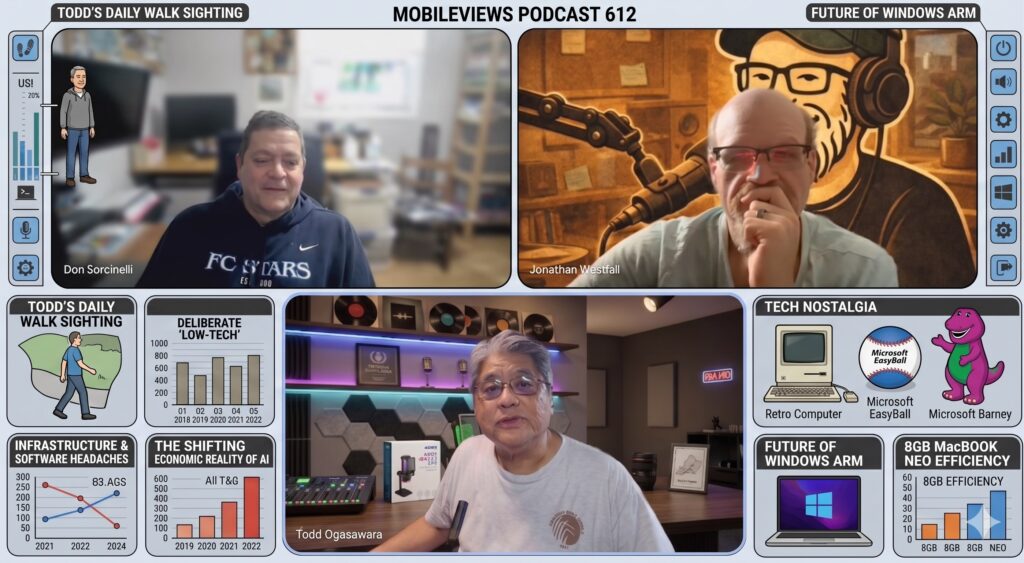
    As we inch ever closer to episode 600, we spent some time reflecting on our podcasting journey and the accelerating pace of our 100-episode milestones. It feels like just yesterday I started this show during a brief stint as a full-time blogger, and I’m incredibly grateful for Jon Westfall and all the friends who have stepped in to keep the show running consistently over the past 18 years.

    Tech News & Announcements

    Jon Westfall and I (Todd Ogasawara) covered several major industry updates and rumors this week:

    E-Ink Troubleshooting: Boox Note Air5 C

    I provided an update on the Boox Note Air5 C and a frustrating e-ink lag problem when using Microsoft OneNote. This writing lag is a known issue. The current solution when dealing with OneNote’s infinite scrolling is simple but annoying: don’t write near the very bottom of the display. Note that this specific issue doesn’t seem to happen on the iPad or conventional Android tablets—it is strictly an e-ink quirk.

    Workplace Feedback, “Vibe Working,” and OneNote

    We moved into a deeper discussion about evaluating work and the ongoing challenges of providing workplace feedback. Jon has been evaluating the work of his peers lately in OneNote, and to say it’s not going well would be an understatement. We debated whether the fault lies with the tool itself or the user, leading into a wider conversation about the lack of attention to detail in professional environments.

    This tied perfectly into the difficulty of giving feedback to coworkers, especially when unreadable formatting or poorly optimized code directly impacts your own workflow. Finding that reasonable middle ground to deliver criticism without causing unnecessary friction remains a constant challenge.

    We introduced some new terms to frame this phenomenon, comparing Mark Zuckerberg’s old “move fast and break things” mantra against the reality that carelessness often speaks directly to competency. We coined phrases like Minimally Viable Product / Deliverable, Vibe Working, and Generation AI to describe these modern workplace dynamics.


    Available via Apple iTunes.
    MobileViews YouTube Podcasts channel
    MobileViews Podcast on Audible.com
  • MobileViews 597: Forced Cloud Storage, Exploding Batteries, and Near Future Tech


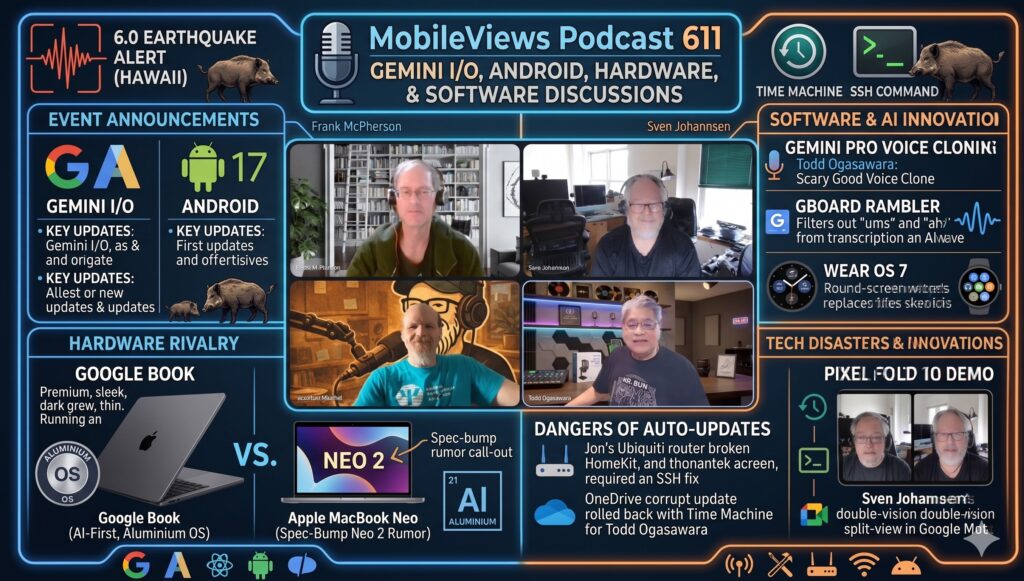
    This week on MobileViews 597, we dive into a series of mini-rants and discuss the future of low-cost computing, hardware prices, and AI features in mobile apps.Key Topics and Discussion Summary1. The Clipchamp/OneDrive Forced Storage Rant

    Microsoft’s recent update to its Clipchamp video editor, which forces all users to save their projects to OneDrive, has sparked a firestorm of negative feedback. Because video files are large, users with slow upload speeds (like ~25Mbps) are seeing performance slow to a crawl, and they are concerned about quickly maxing out their free cloud storage.

    The overwhelmingly negative community sentiment, as seen on a Microsoft Learn Q&A thread, includes:

    • Loss of Local Control: Users are angered by being forced into the cloud, with many migrating to alternatives like the Open Source ShotCut or Davinci Resolve.
    • Monetization Concerns: Many see the move as a deliberate tactic to push users into premium OneDrive subscriptions.
    • Bugs & UX Issues: The update has reportedly caused data loss and made the desktop app difficult to use.
    1. Hardware and Computing Futures
    • Apple and Chromebooks: There’s anticipation for a low-cost MacBook possibly featuring an A18 Pro processor. Meanwhile, the expected availability for a particular Chromebook model has been pushed back from 2026 to 2028 (aluminium-os). Jon is also looking forward to the next-gen Mac Mini.
    • Skyrocketing Hardware Costs: The prices of RAM, SSDs, and hard drives are surging due to AI-related data center demands. This raises the question of whether coders will return to valuing resource-efficient programming, reminiscent of the low-memory challenges on classic machines like the Apple II+ (PC Mag article).
    • Gemini in Google Photos: We detail the process of turning off the “Gemini AI” search feature in Google Photos. Users on a Pixel or Boox tablet can bypass the AI search with a simple double-tap on the Ask button. For a full disable on Android or iPhone, the setting is found under: Profile Picture > Photos settings > Preferences > Gemini features in Photos.
    1. Quick Hits
    • An unexpected mouse battery explosion in a trusty Logitech mouse.
    • Jon upgraded to a Backbone Pro gaming controller, noting that the Backbone line is a great “jack of all trades” device.
    • Jon’s Python Toolbox recommendations:

    Available via Apple iTunes.
    MobileViews YouTube Podcasts channel
    MobileViews Podcast on Audible.com
  • MobileViews Podcast 596: E-ink & OneNote, AI Market Tremors, and the Hyflex Classroom


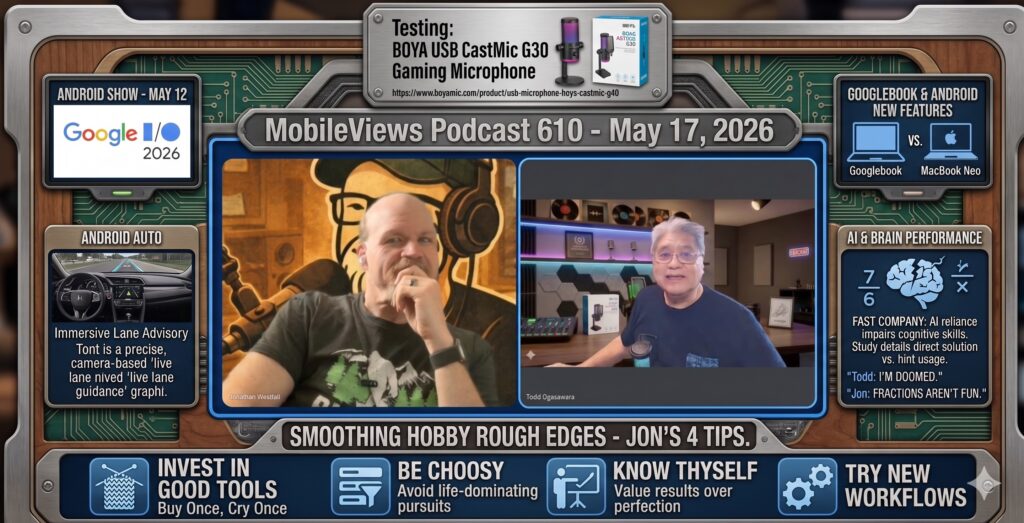
    We recorded MobileViews 596 a day early on February 7, 2026, mostly to stay ahead of the weather. I’m currently under a flood watch in Hawaii, while Jon Westfall has been dealing with the aftermath of an ice storm in Mississippi. We spent some time comparing the “quality” of our power outages—I’ve had five short ones recently, while Jon’s neighbors dealt with a single, brutal nine-day stretch.

    In my retirement, I’ve started using mechanical keyboards—I have several now. Surprisingly, I broke my first keycaps ever this month on a Royal Kludge board. The stems on the “O” and “3” keys actually cracked. I’ve been replacing them with a set of Warmier PBT shine-through keycaps, doing about three a day so it doesn’t feel like a chore. Jon is still rocking a 15-year-old Apple keyboard, but I’m trying to convince him to try a 75% mechanical layout with a volume knob.

    We had a discussion about the recent tech stock dip following Anthropic’s new Claude plugins. Major players like Microsoft and Oracle saw massive hits, and I can’t help but wonder if CEOs are overreacting to AI’s current capabilities. I see a parallel to the “Advanced Intelligent Networking” (AIN) of the late 80s. Back then, we were told visual “drag-and-drop” programming would replace coders, but that path failed because non-techies didn’t account for error conditions or governance. Jon agreed, noting that while the sky is changing, it isn’t necessarily falling, and companies may soon regret the mass layoffs they’ve justified in the name of AI.

    My Boox Note Air 5C journey continues. I recently picked up a Staedtler Noris Digital Jumbo stylus. It looks just like a traditional pencil and features a digital eraser on the end. Interestingly, erasing with the physical end of the stylus is actually faster than hitting “undo” on an e-ink screen. My current workflow involves syncing my daily doodles from the native Boox app to OneNote as PDFs, though I’m still struggling with how OneNote for Android handles the mixture of handwriting and text.
    Jon shared his progress on a mobile “Hyflex” setup for his psychology classes at Delta State. He’s using a combination of gear to allow students to participate in-person, synchronously online, or via recording. One software highlight he mentioned is Better Display (the $21 Pro version), which allows for a picture-in-picture view of an extended display. It’s a lifesaver when the classroom projector is positioned at an awkward angle behind the presenter.

    Finally, Jon is planning his hardware roadmap for the year. He’s debating between a DIY Linux box for local LLM work, a Unify storage appliance, or waiting for a Mac Mini with an M5 chip. Personally, I’m keeping an eye on the rumor mill for a touchscreen MacBook—I might actually buy one if it ever surfaces.

    Check out Jon’s college classroom HyFlex setup video.


    Available via Apple iTunes.
    MobileViews YouTube Podcasts channel
    MobileViews Podcast on Audible.com
  • MobileViews 595: Boox Note Air5 C e-ink tablet; dealing with long power outages; & more


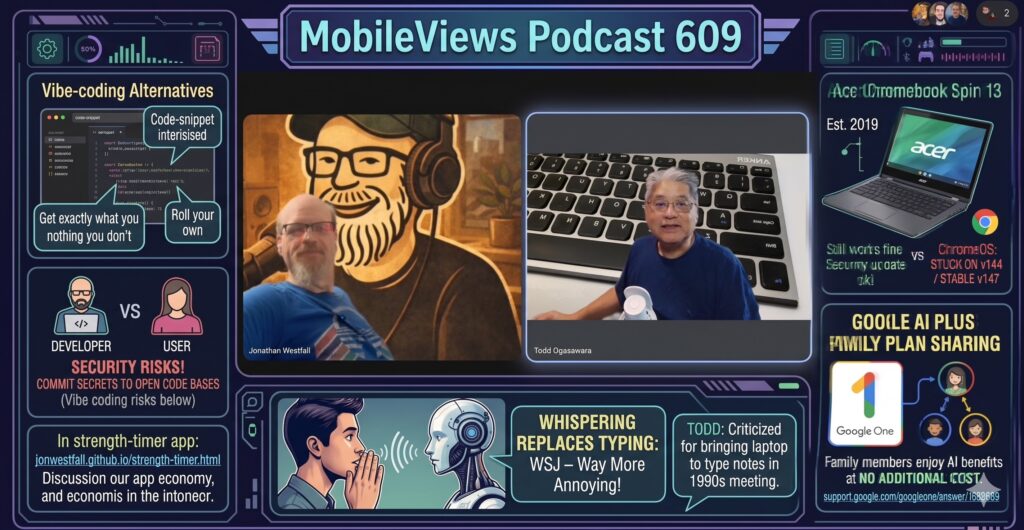
    After a severe winter storm in the mainland US last week, Jon Westfall is back to join me (Todd Ogasawara) for MobileViews Podcast 595. Note: this week’s Google Nano Banana Pro generated frame around the screenshot of Jon and me “decided” to hallucinate components of the Onyx Boox Note Air5 C home screen (like a phone icon and the entire top info-bar) despite the fact that I provide an actual screenshot of my Note Air5 C home screen 🙂


    BONUS TIP: Be sure to check out Jon’s YouTube Channel: Professor Westfall

    We kick off the podcast with storm-related tech notes, including lessons learned about external batteries and the effects of power surges on IoT devices. On the gear front, Jon shared his creative solution for a broken Xbox headset by replacing it with a Twelve South AirFly Pro and a lav mic, allowing him to use his existing AirPods. We also discussed, what else, AI, and the intriguing concept of OpenClaw Moltbook, a “social network” for AI agents, and the challenge of “AI slop” drowning science publishing. We also noted that my Google One 2TB subscription now includes the Gemini Plus tier, which is better defined in our reference notes as the Gemini AI Pro (Advanced) plan that bundles with the 2TB storage.

    The featured device this week is the Onyx BOOX Note Air5 C color e-ink Android OS 15 tablet that I bought recently. Our deep dive explores the mindset of e-ink users, often seeking a minimalist, distraction-free tool and embracing “mindfulness” in their writing. I compare the Air5 C to my only previous e-ink experience (a 2010 Kindle) and the non-e-ink TCL NXTPAPER (which I am considering to purchase). While acknowledging known issues—like the case and the display’s color limitations—the appeal lies in rethinking note-taking in retirement, the low friction of a digital pen, and the ability to use apps from the Google Play store.

    Available via Apple iTunes.
    MobileViews YouTube Podcasts channel
    MobileViews Podcast on Audible.com