
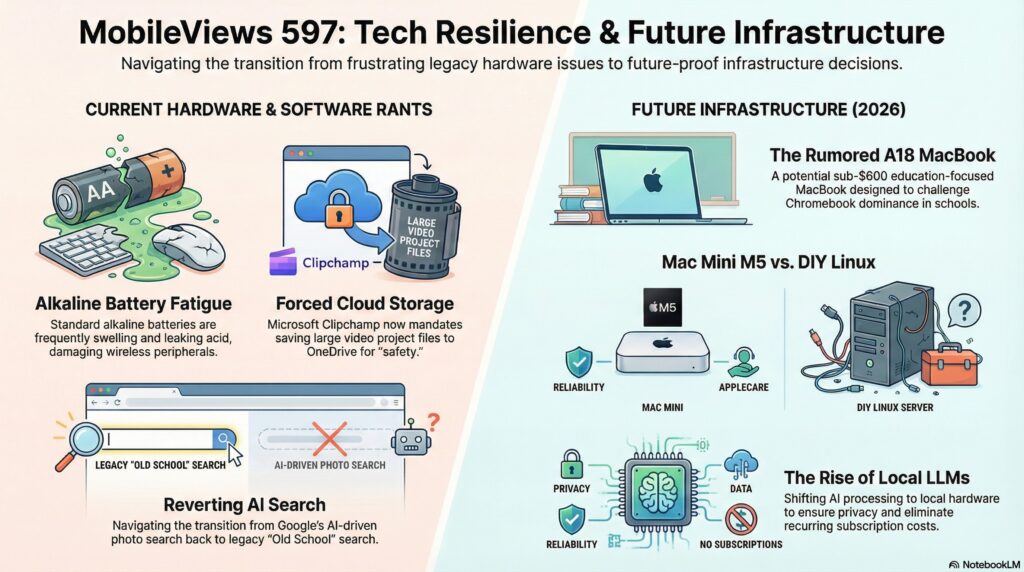
This week on MobileViews 597, we dive into a series of mini-rants and discuss the future of low-cost computing, hardware prices, and AI features in mobile apps.Key Topics and Discussion Summary1. The Clipchamp/OneDrive Forced Storage Rant
Microsoft’s recent update to its Clipchamp video editor, which forces all users to save their projects to OneDrive, has sparked a firestorm of negative feedback. Because video files are large, users with slow upload speeds (like ~25Mbps) are seeing performance slow to a crawl, and they are concerned about quickly maxing out their free cloud storage.
The overwhelmingly negative community sentiment, as seen on a Microsoft Learn Q&A thread, includes:
- Loss of Local Control: Users are angered by being forced into the cloud, with many migrating to alternatives like the Open Source ShotCut or Davinci Resolve.
- Monetization Concerns: Many see the move as a deliberate tactic to push users into premium OneDrive subscriptions.
- Bugs & UX Issues: The update has reportedly caused data loss and made the desktop app difficult to use.
- Hardware and Computing Futures
- Apple and Chromebooks: There’s anticipation for a low-cost MacBook possibly featuring an A18 Pro processor. Meanwhile, the expected availability for a particular Chromebook model has been pushed back from 2026 to 2028 (aluminium-os). Jon is also looking forward to the next-gen Mac Mini.
- Skyrocketing Hardware Costs: The prices of RAM, SSDs, and hard drives are surging due to AI-related data center demands. This raises the question of whether coders will return to valuing resource-efficient programming, reminiscent of the low-memory challenges on classic machines like the Apple II+ (PC Mag article).
- Gemini in Google Photos: We detail the process of turning off the “Gemini AI” search feature in Google Photos. Users on a Pixel or Boox tablet can bypass the AI search with a simple double-tap on the Ask button. For a full disable on Android or iPhone, the setting is found under: Profile Picture > Photos settings > Preferences > Gemini features in Photos.
- Quick Hits
- An unexpected mouse battery explosion in a trusty Logitech mouse.
- Jon upgraded to a Backbone Pro gaming controller, noting that the Backbone line is a great “jack of all trades” device.
- Jon’s Python Toolbox recommendations:
- Pyenv
- PyInstaller
- Tkinter GUIs
- NiceGUI (for web browser interfaces)
Available via Apple iTunes.
MobileViews YouTube Podcasts channel
MobileViews Podcast on Audible.com