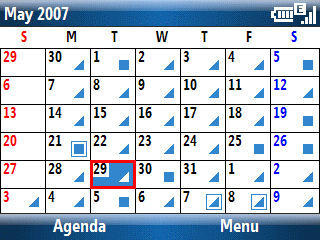
Microsoft has been telling us not to fret about not being able to sync Outlook subfolders and to use Categories instead. OK, fine. I’ve been doing that since 1997. But, um, look what’s missing in the Windows Mobile 6 Standard Edition (Smartphone) Calendar… Yep, the Category field is not there anymore. If I missed it, just let me know. ‘Cause I actually use Categories when I create an appointment. The Category field still exists in the Windows Mobile 6 Professional/Classic Editions (Pocket PC/Phone Edition) though. So, it is a little bit of a mystery why it was removed from the Smartphone. Maybe only “professionals” need categories for calendar events? I dunno.
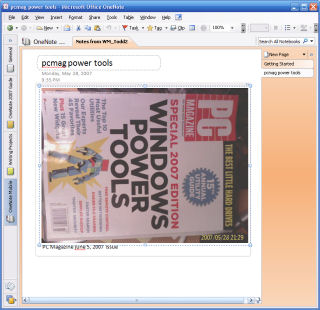 I maintain another blog (
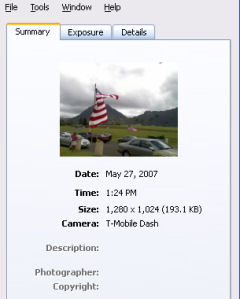 The T-Mobile SDA (Windows Mobile 5) smartphone didn’t place any EXIF data in its photos. The T-Mobile Dash (Windows Mobile 6), however, does. It doesn’t store much EXIF data. But, the Dash at least identifies itself as the camera type. This means that if you use it to upload photos to sites like Flickr, statistics about camera types will tally it correctly and viewers of your photos can tell it is a camera phone. It also stores data, time, and resolution and file size. I noticed that flash information is also stored even though the Dash does not have a flash (or one that is evident to me).
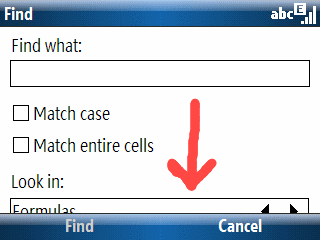 I found a minor display error in Excel Mobile running on a Windows Mobile 6 T-Mobile Dash (Smartphone; AKA Standard Edition). The “Look in:” selection box in the “Find” window is not completely displayed. It is still usable since I can see enough of the option to figure out what the choices are. But, it would be nice to see the whole thing. I suspect we’ll see a few more of these screen form format glitches as time goes by. The variety of resolutions and screen orientations (landscape or portrait) is bound to mess up some applications on the Pocket (Classic or Professional Edition) and Smartphone (Standard Edition).
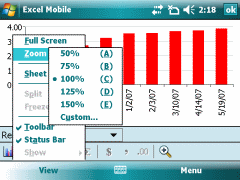 I’ve got Windows Mobile 6 on a Pocket PC to compare with a Smartphone (or Professional and Standard Editions if you prefer). Word Mobile and Excel Mobile have obvious advantages on the larger Pocket PC format factor with a touchscreen. But, it is amazing how much nicer some features like word completion look on a Smartphone vs. a Pocket PC. You would think the more mature (from an editing perspective) Pocket PC would have the advantage. But, that is not the case from my point of view. Despite this, though, entering information in Word Mobile or Excel Mobile on the Pocket PC is still a much better and easier experience overall.
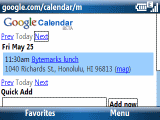 Google announced a mobile device friendly version of Google Calendar today…