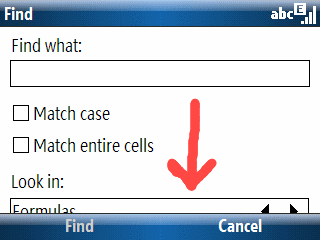
 I found a minor display error in Excel Mobile running on a Windows Mobile 6 T-Mobile Dash (Smartphone; AKA Standard Edition). The “Look in:” selection box in the “Find” window is not completely displayed. It is still usable since I can see enough of the option to figure out what the choices are. But, it would be nice to see the whole thing. I suspect we’ll see a few more of these screen form format glitches as time goes by. The variety of resolutions and screen orientations (landscape or portrait) is bound to mess up some applications on the Pocket (Classic or Professional Edition) and Smartphone (Standard Edition).
Excel Mobile is probably a double whammy case since the Office Mobile components are seeing their first appearance on the Smartphone starting with Windows Mobile 6 and most people (including developers) probably think of the Smartphone as having a portrait oriented screen.
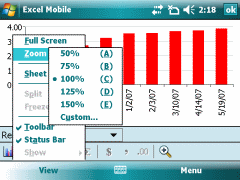 I’ve got Windows Mobile 6 on a Pocket PC to compare with a Smartphone (or Professional and Standard Editions if you prefer). Word Mobile and Excel Mobile have obvious advantages on the larger Pocket PC format factor with a touchscreen. But, it is amazing how much nicer some features like word completion look on a Smartphone vs. a Pocket PC. You would think the more mature (from an editing perspective) Pocket PC would have the advantage. But, that is not the case from my point of view. Despite this, though, entering information in Word Mobile or Excel Mobile on the Pocket PC is still a much better and easier experience overall.
 Google announced a mobile device friendly version of Google Calendar today…