Category: Mobile Devices

  • MobileViews 603: Sidecar-Neo-iPad-3rd display; Tiny Teams; Different Enough vibe coded app


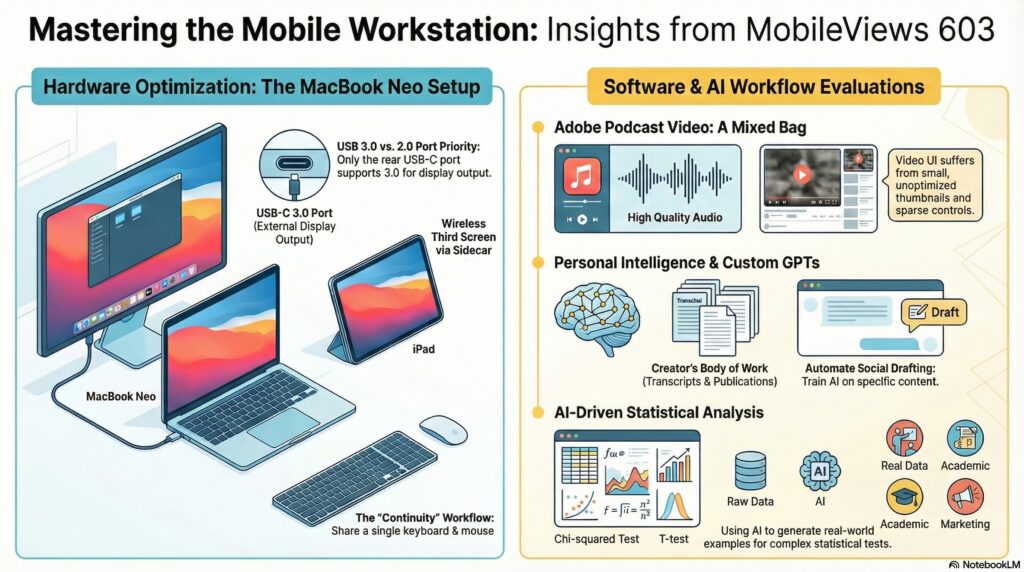
    For MobileViews 603, recorded on March 29, 2026, I decided to return to my classic Blue Yeti Nano microphone, which I used for hundreds of episodes in years past. Much of our hardware discussion this week centered on my ongoing fascination with the MacBook Neo. I discovered that while it officially only supports one external display, you can effectively run a three-screen setup by using an iPad as a wireless third display through the MacOS Sidecar feature. This configuration, utilizing Mac OS Continuity, allows me to control the iPad using the MacBook’s keyboard and mouse, creating a highly functional workstation without the need for extra cables. Jon has adopted a similar workflow in his classroom, using an iPad alongside his MacBook to handle student attendance while presenting his slides.

    On the software side, we discussed the release of iOS 26.4, which introduced a “Playlist Playground” feature in Apple Music on mobile devices. This tool uses AI to generate playlists from simple text prompts, and it serves as an excellent discovery tool for investigated genres where you might not be an expert. Looking further ahead, we looked at reports that iOS 27 may finally allow Siri to integrate with third-party AI chatbots like Gemini or ChatGPT. Since neither of us is a major fan of the current Siri, being able to choose a preferred chatbot would be a welcome change.

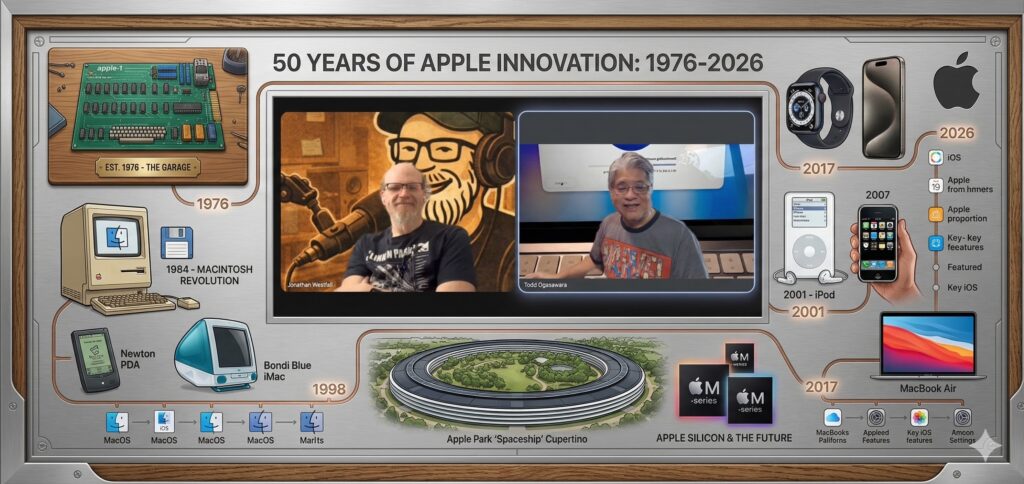
    As we approached Apple’s 50th anniversary as an incorporated entity on April 1st, I reflected on the history of “tiny teams” in technology. While modern projects often involve hundreds of people, many of the most foundational tools—such as Apple DOS, CPM, and VisiCalc—were built by just one or two individuals. For instance, Paul Laughton built the first disk operating system for Apple in just 35 days by himself. We even saw this principle in action this week with Jon’s new project, “Different Enough”. He built this statistical testing website using GitHub Pages, TypeScript, and React in just 90 minutes. His secret was using ChatGPT to “interview” him about his requirements before generating a prompt for OpenAI Codex to build the final application.

    We followed up on the Adobe Podcast video test from last week; while the speaker identification worked well for the transcript, I had to boost the output volume significantly in post-production because it was surprisingly low. Jon also shared a bug he encountered with the Plaud Note platform, which misidentified a speaker by tagging the same student profile 20 times across different meetings with different students.. On a more aesthetic note, I shared Casio’s announcement of a Japanese Lacquer Edition calculator. It is such a beautiful piece of craftsmanship that I’m now hoping Apple considers a lacquer edition for their MacBook line.

    We finished up with a discussion of Jon’s latest vibe coding project, a web app called “Different Enough”. The site is designed to help users run various statistical tests to determine if data sets are actually significantly different from one another.
    Available via Apple iTunes.
    MobileViews YouTube Podcasts channel
    MobileViews Podcast on Audible.com
  • MobileViews 602: Adobe Podcast video recording; Grandparents glued to phones? MacBook Neo USB ports & more


    MobileViews 602: Adobe Podcast video recording; Grandparents glued to phones? MacBook Neo USB ports & more


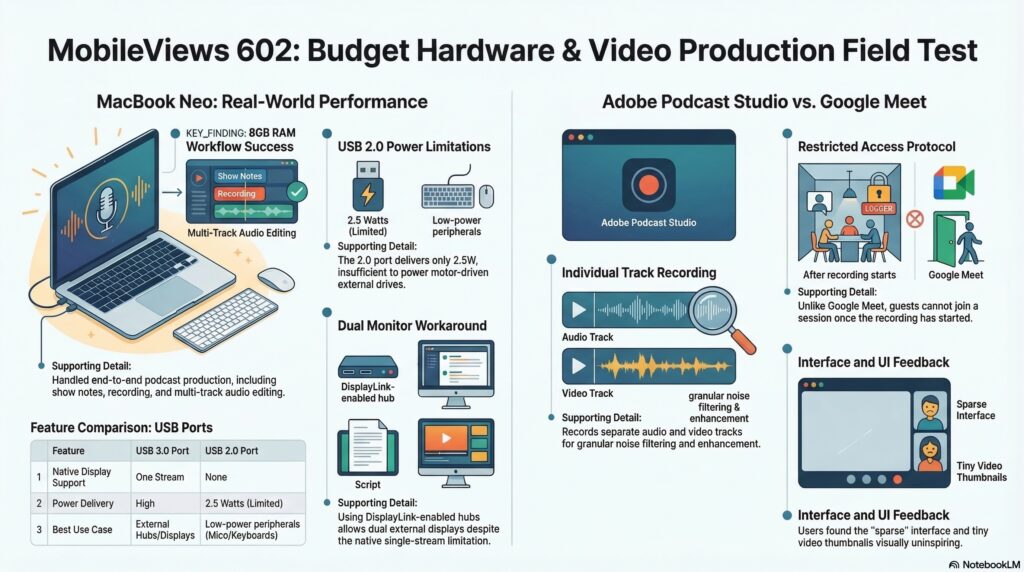
    Jon Westfall and I started the podcast with a technical experiment. We recorded the first portion of the show using Adobe Podcast’s new video recording feature. While the service is included in my $100-a-year Adobe Express Premium subscription, Jon found the interface a bit “sparse and sad” compared to our usual Google Meet setup, noting a significant amount of wasted screen space and a lack of customization for guests. However, from a producer’s standpoint, the ability to record each participant on an individual video and audio track is a huge win for post-production editing, especially when one of us has unexpected background noise. Adobe Podcast also has the ability to generate transcripts in various formats.

    I am still finding the MacBook Neo to be an incredibly fun device to use, even though I already own a more powerful M4 MacBook Air. This week, I dug into some of its hardware limitations, specifically regarding the two USB ports. While Apple officially states the Neo only supports one external display through its single USB 3.0 port, I learned that hubs supporting DisplayLink technology might actually allow for a dual-display workaround. I also discovered a power quirk: the Neo’s USB 2.0 port only delivers 2.5 watts of power, which wasn’t enough to spin up an external DVD/CD drive I tested, whereas the 3.0 port handled it perfectly. I’ve really started thinking of the Neo as the ultimate iPhone companion—much like the handheld PC companions of thirty years ago.

    On the app side, I’ve been testing the “Playlist Playground” feature in the Apple Music beta. It uses Apple Intelligence to create playlists based on text prompts, and while it’s not perfect, it’s a great discovery tool that intelligently filters for songs actually licensed on the platform. Jon is also navigating the Apple ecosystem with his new app, Tempo Pilot, which is currently in the App Store review process. We discussed Apple’s recent decision to restrict apps like Replit that facilitate “vibe coding” on-device, as they violate long-standing rules against apps changing their own behavior unexpectedly.

    We closed out the podcast with a discussion about a BBC report about grandparents being “glued to their phones”. It sparked a conversation about isolation and the unique Generation Jones cohort (born 1954–1965) that I fall into—a group that missed the social upheavals of the early 60s but became the first senior citizens to be truly digitally connected. We even shared some childhood stories about our names; Jon revealed he shortened “Jonathan” to “Jon” in third grade specifically to avoid learning how to write the full name in cursive.

    Check out the full episode to hear more about my USB power tests and Jon’s experience using AI to prep his app for the App Store review.

    Available via Apple iTunes.
    MobileViews YouTube Podcasts channel
    MobileViews Podcast on Audible.com
  • MobileViews 601: 36 hours without power, cell service, & broadband internet. MacBook Neo impressions


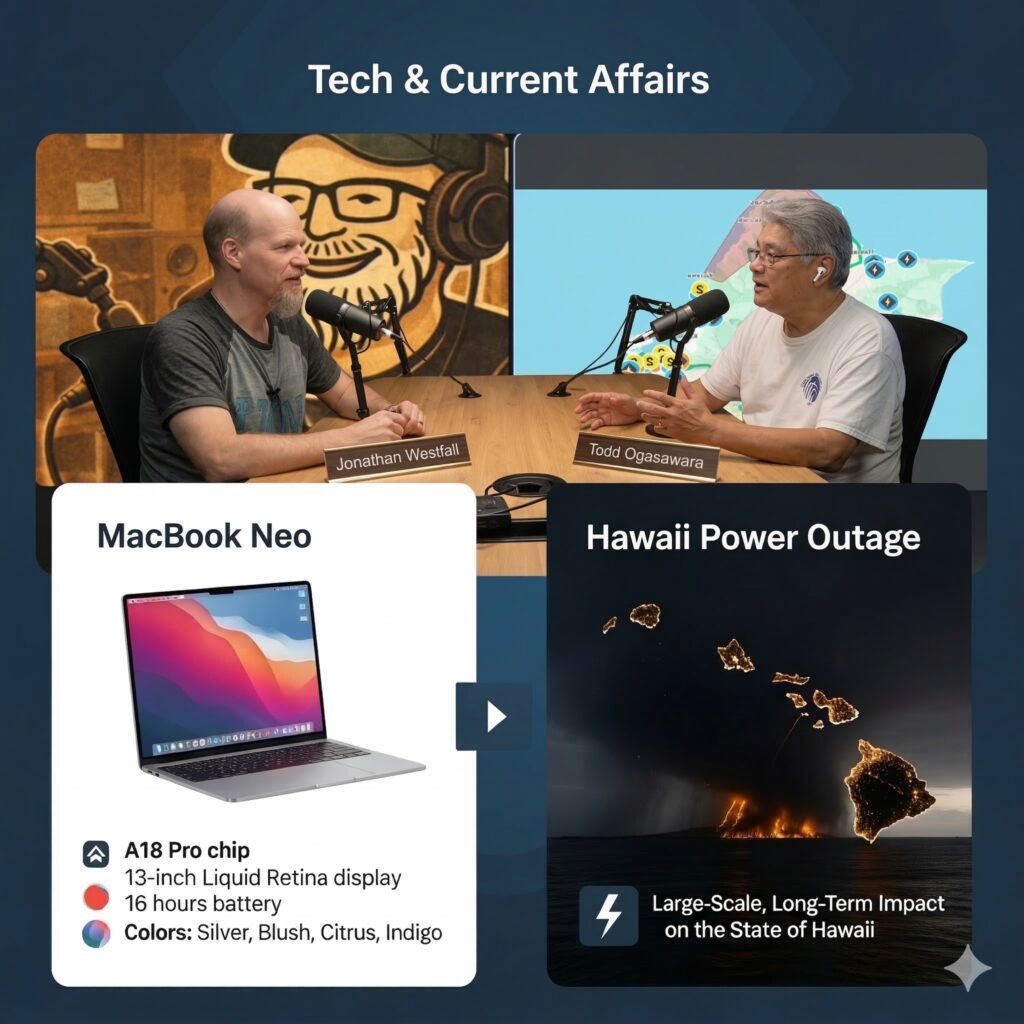
    In this episode, Todd Ogasawara and Dr. Jon Westfall dive into weathering long  power outages, hands-on impressions of new tech hardware, and the magic of modern software development workflows.

    Surviving the Hawaii Storms and Tech Infrastructure Failures

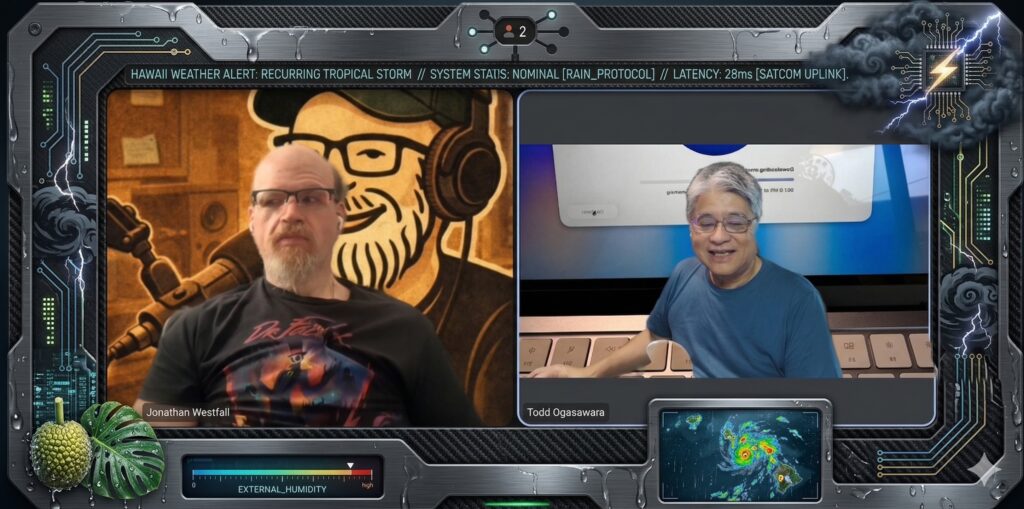
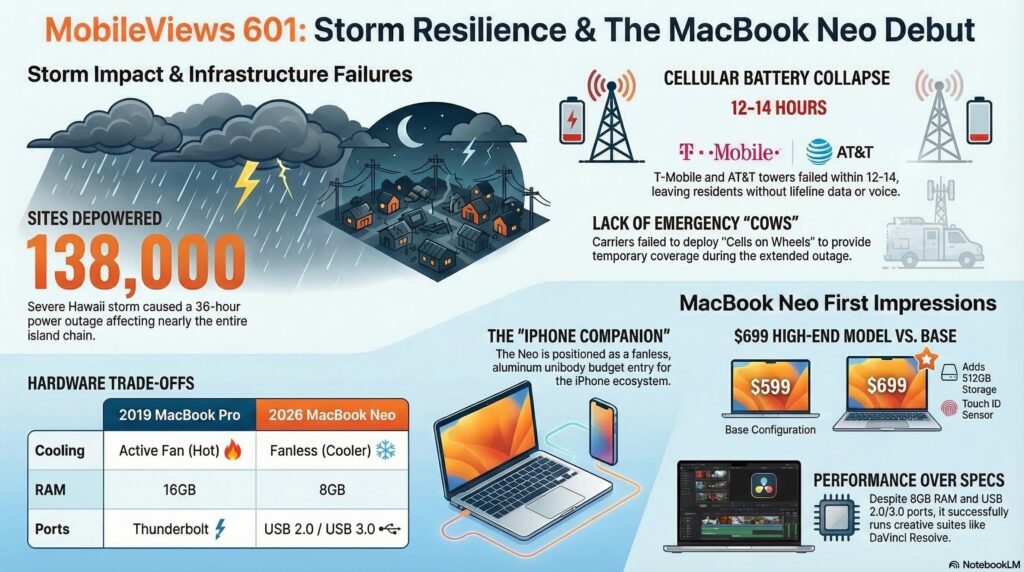
    Todd shared his experience dealing with a severe storm system that swept through Hawaii, knocking out power for roughly 138,000 customers. The 36-hour outage put local infrastructure to the test.

    • The Good: Hawaiian Electric (HECO) deserves credit for vastly improved communication during the crisis, providing necessary updates.
    • The Bad: The cell phone providers struggled. T-Mobile (and consequently Google Fi) went down within 10 to 14 hours, and AT&T followed shortly after. This highlights an ongoing issue with insufficient battery backups at cell sites.
    • The Workaround: To keep lifeline devices running, Todd relied on multi-function devices with large batteries built into devices like portable fans and tire inflators.

    Drone Regulations and Video Editing Hacks

    Thanks to some expert advice from previous guest Sven Johansson regarding weight limits and non-commercial trust certificates, Jon is flying his new DJI Neo 2 legally. A standout feature for travelers is that the Neo 2’s three-battery charging station can act as a reverse charger for other devices.

    On the production side:

    • Apple Creative Suite: Jon noted that educators and students can get the Apple Creative Suite (including Final Cut Pro and Logic) for just $30 a year. He used Final Cut to successfully reduce background noise on drone footage.
    • Adobe Podcasts: Todd discussed Adobe Podcasts’ new video recording feature. It records individual video and audio tracks locally for each participant, allowing for much easier syncing and enhancement compared to traditional methods.

    Hands-On with the MacBook Neo

    Todd provided his initial thoughts on his new Apple MacBook Neo. He opted for the $699 model in Indigo, which includes a 512GB SSD and a fingerprint sensor. Note: All aspects of this podcast including recording, editing, and publishing was performed using the MacBook Neo.

    • The “iPhone Companion”: Reminiscent of the old Windows CE “PC companion” devices, the MacBook Neo serves as an excellent companion to the iPhone for those integrated into the Apple ecosystem.
    • Hardware Impressions: Despite a lack of a fan, the aluminum unibody device runs incredibly cool under everyday loads, contrasting sharply with older Intel-based Macs. It also features a solid keyboard and a highly responsive fingerprint reader.
    • The Verdict: It successfully replaces both an aging Chromebook and a 2019 Intel MacBook Pro as a reliable, everyday lower-end access device. While tech power-users might complain about its limitations, it is perfect for its target audience.

    Modern Coding & WWDC Wishlists

    Jon has been exploring modern AI coding methods using OpenAI’s Codex tool, Git version control, and Apple’s Xcode Cloud for immediate compiling. For veterans who started programming in assembly language or Unix, today’s continuous deployment pipelines feel like absolute magic.

    Looking ahead to Apple’s WWDC in June, Jon shared his primary wish: an “all-you-can-read” subscription service for Apple Books and Audiobooks. Additionally, early signs point to iOS 27 being a refinement-focused update, similar to the legendary Mac OS X Snow Leopard release.

    Available via Apple iTunes.
    MobileViews YouTube Podcasts channel
    MobileViews Podcast on Audible.com
  • MobileViews 599: Nano Banana 2; budget Apple Macbook? EVE Motion sensor; what we lost when media went all digital?


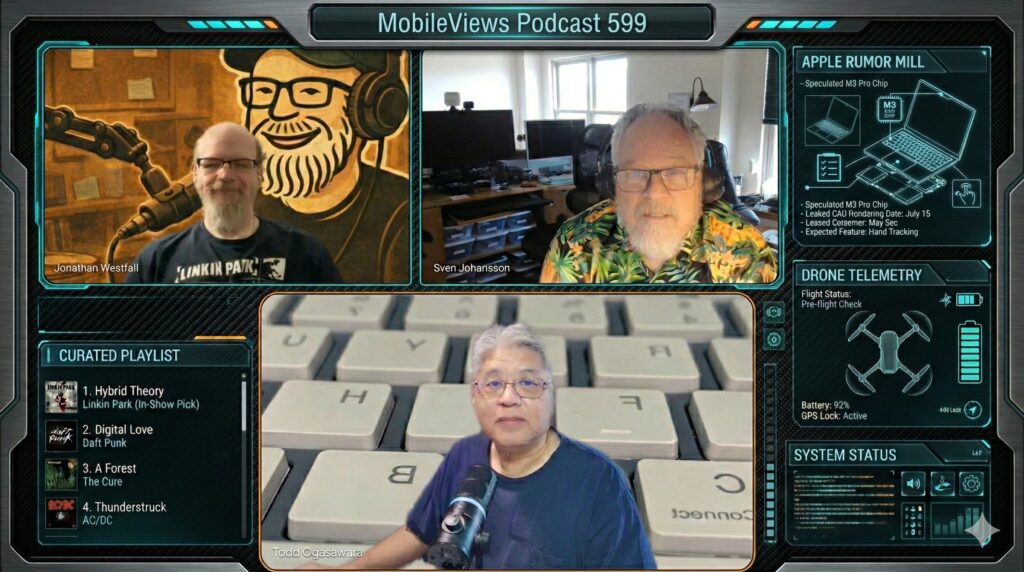
    In MobileViews Podcast episode 599, panelists Jon Westfall and I (Todd Ogasawara) are joined by frequent guest panelist Sven Johannsen.

    We start off with thoughts on the new Google Nano Banana 2 (Gemini 3.1 Flash Image), with Todd noting its impressive capabilities. I also shared a recent AI experiment where he fed his 100-song Apple Music Replay All Time list to Google Gemini Pro to generate a playlist for a brisk two-mile walk. The AI successfully curated a 12-song list in the 114-124 BPM range, remarkably close to my average heart rate during a brisk walk, pulling in tracks by his favorite artists that weren’t even on the original list.

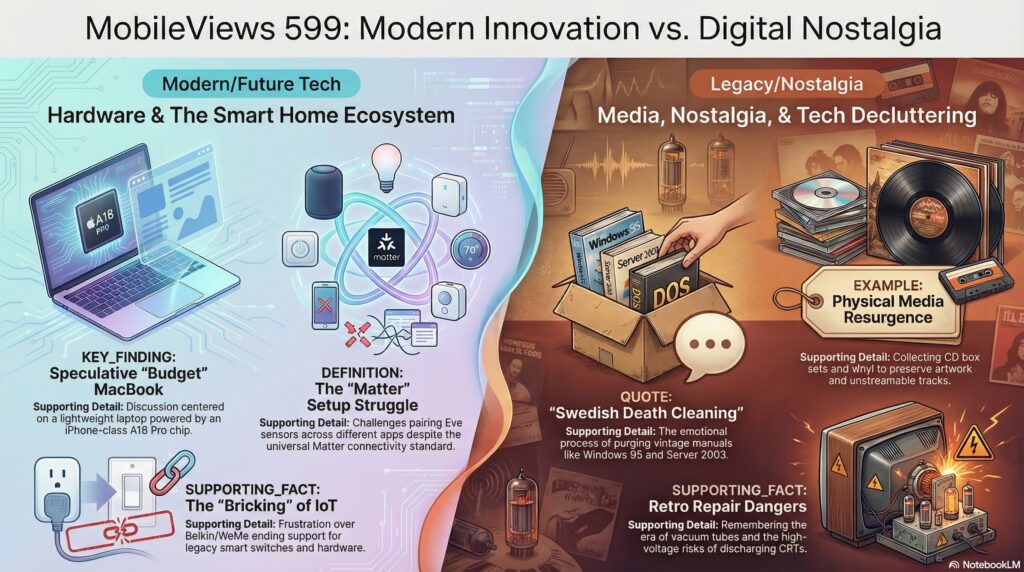
    Next, we discussed Apple’s upcoming multi-day March product announcement event. I noted my amusement over tech pundits already debating the performance merits (or lack thereof) of the rumored A18 Pro budget MacBook. Sven brings some smart home tech to the table, discussing the Matter-enabled EVE Motion sensor and the frustrations involved in setting it up outside of the native EVE or Apple Home ecosystems. They also touch on the DJI Neo 2 drone, highlighting that a smartphone is required for initial setup and reminding listeners about the necessary FAA TRUST Certificate for recreational flyers.

    Finally, we took a nostalgic turn, pondering what we lost when media went digital. Jon discusses his recent eBay purchases of old, inexpensive CD box sets—not just to rip hard-to-find tracks, but to reclaim the physical artwork and ephemera that used to accompany music. This leads to a broader reflection on physical media, including coffee table books, and Todd’s perspective on the tangible value of ownership as a comic book collector.


    Available via Apple iTunes.
    MobileViews YouTube Podcasts channel
    MobileViews Podcast on Audible.com
  • MobileViews 592: Hello 2026. Build vs. buy?


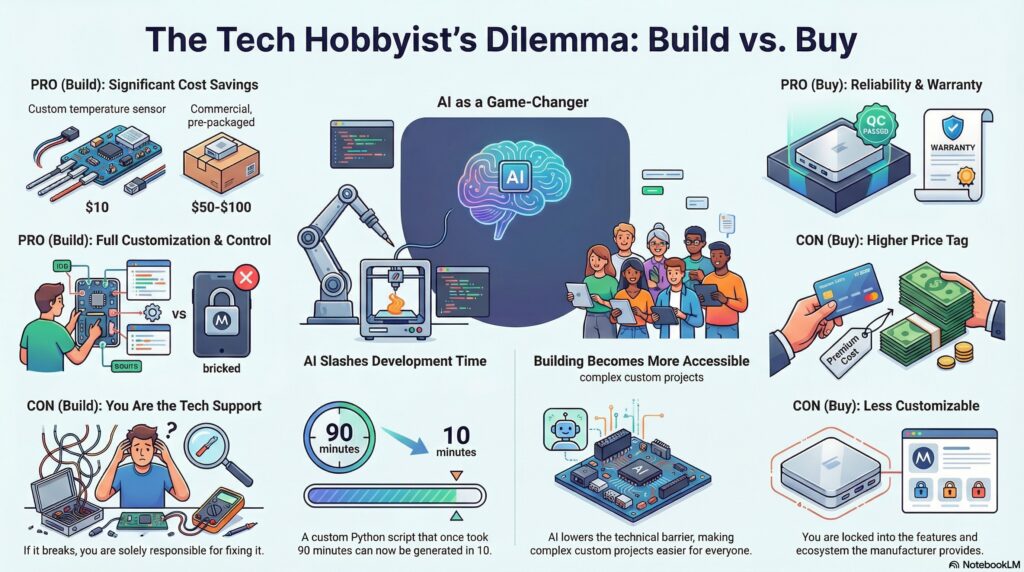
    In this podcast Jon Westfall and I discuss our recent experiences with artificial intelligence and consumer technology (as usual these days). We share insights on using Google NotebookLM and ChatGPT to automate content creation, noting that while the tools are becoming more intuitive, interoperability between different ecosystems remains a challenge. We also discuss the “build vs. buy” dilemma in home automation, highlighting how AI-assisted coding makes DIY hardware projects more accessible than ever. We briefly preview the upcoming CES conference, expressing a mix of hope and skepticism regarding whether the event will debut a truly revolutionary product category.


    Available via Apple iTunes.
    MobileViews YouTube Podcasts channel
    MobileViews Podcast on Audible.com
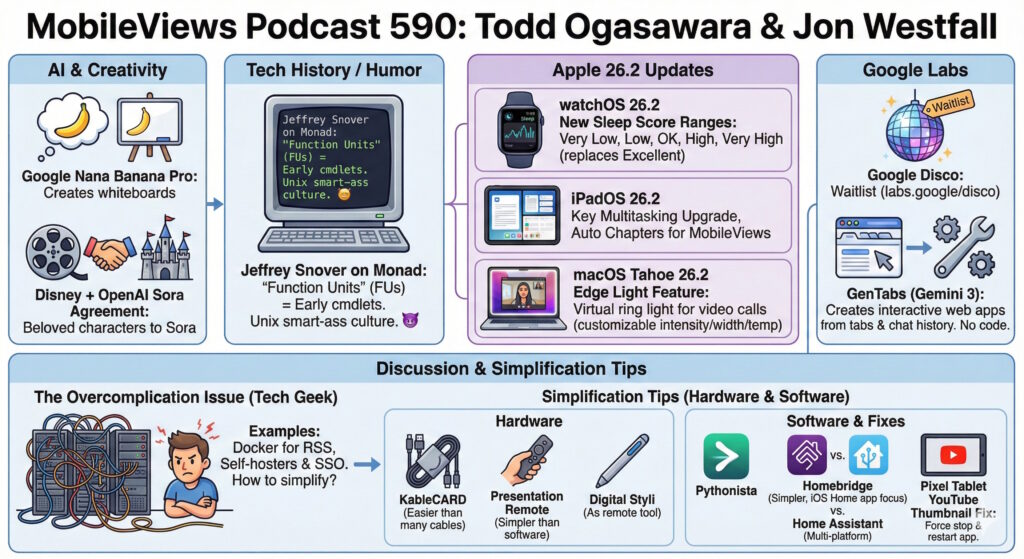
  • MobileViews Podcast 590: Simplifying Tech Stacks, AI News, and Apple Updates


    In this episode, Todd and Jon discuss the latest AI agreements, updates to the Apple ecosystem (OS 26.2), and the history of PowerShell. The core discussion focuses on the “overcomplication issue” facing tech enthusiasts and offers hardware and software tips to simplify daily workflows.

    AI & Industry News

    • Disney & OpenAI: The Walt Disney Company has reached an agreement to license characters to OpenAI’s Sora.
    • Google Labs: Todd joined the waitlist for “Google Disco,” a tool that uses “GenTabs” to create interactive web apps and complete tasks using natural language without coding.
    • Visual Podcasting: Todd discussed using “Nano Banana Pro” and Gemini to create visual whiteboard summaries for podcast notes.

    Apple OS 26.2 Updates

    • watchOS 26.2: Features updates to Sleep Scores, which Jon notes can feel “judgmental” regarding sleep quality.
    • iPadOS 26.2: Reintroduces multitasking features like slide over and enables “Auto Chapters” for podcasts.
    • macOS 26.2: Introduces “Edge Light” (a virtual ring light for video calls) and “low latency clusters” for local AI development on M5 Macs.

    Tech History

    • PowerShell Origins: Jeffrey Snover, creator of PowerShell, revealed in a blog post that “cmdlets” were originally named “Function Units” (FUs), reflecting the “Unix smart-ass culture” of the era.

    Discussion: Simplifying the Tech Stack

    The hosts discuss the tendency to overcomplicate setups, such as using Docker for RSS feeds or complex SSO for home use. They recommend the following simplifications:

    Hardware

    • KableCARD: A credit-card-sized kit containing multiple adapters, a light, and a phone stand to replace carrying multiple cables.
    • Presentation Remotes: Use a simple dedicated remote ($20–$30) or repurpose a Surface Pen via Bluetooth instead of relying on complex software solutions.

    Software

    • Pythonista (iOS/macOS): Run simple local scripts (e.g., GPA calculators) rather than paying for dedicated subscription apps.
    • Homebridge: A lighter-weight alternative to Home Assistant for connecting IoT devices (like Sonos) to Apple HomeKit.

    Troubleshooting Tip

    • Pixel Tablet YouTube Glitch: If the YouTube app on the Pixel Tablet displays unusable, giant thumbnails, the fix is to clear both the app’s cache and storage/memory.

    Available via Apple iTunes.
    MobileViews YouTube Podcasts channel
    MobileViews Podcast on Audible.com