
I suspect I may be one of the few people on this planet who has not played Sudoku. So, l looked at the announcement of…
PDAmill GameBox Sudoku
(US$14.95)…for the Pocket PC (Classic or Professional Edition in Windows Mobile 6 lingo) with more than passing interest. I installed it on my Windows Mobile 6 Pocket PC to see if it would run on WM6. And, yep, it installed and started up mostly fine. It needed 6MB of free RAM for game play. So, I performed a soft reset (quicker than shutting down individual apps) to free up RAM. Then, I started up the game again and read through the instructions.
There are three board/grid sizes (4×4, 9×9, and 16×16) and three game play levels (Easy, Normal, and Hard). I can see why Sudoku was such a craze for while (Is it still? I’m not sure). I have no idea how easy or hard Sudoku experts would view GameBox Sudoku. But, I can see how it might drain more than a few hours of my time if I let it
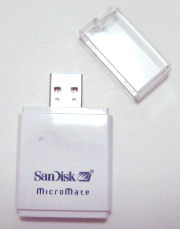
 for use with a digital camera. When I bought it the Micromate SDHC reader seemed like a nice to have add-on. However, since the 4GB SDHC card does not seem to be readable by my older SD readers, it became a must-have accessory. The SDHC card is recognized immediately when used with the bundled reader and file transfers are lightning fast. The SDHC card also slips into and out of the reader without any fuss.