MacRumors Says USB Tethering Seems to be Working in iPhone 3.0

MacRumors reports…

USB Tethering Seems to be Working in iPhone 3.0

MacRumors notes that the test connected a developer’s iPhone running version 3.0 who connected it to a Mac with a USB cable. This person actually tested the tether (accessed the net using the iPhone’s 3G connection). Interesting stuff.

Apple
iPod

Comments (0)

Permalink

Apps Still Install on iPhone After 9 Screen Limit Hit. But, They Are Invisible

I just learned about this fact after reading a comment on my MobileAppsToday blog.

I just hit 9 screens. What’s strange is that it will still let you install apps, they just don’t show up! I thought I was insane because I knew I had just installed something but could not find it. Off to delete more!

Originally posted as a comment by LittleTechGirl on mediabistro.com: MobileAppsToday using Disqus.

Apple
Mobile Devices

Comments (0)

Permalink

Turning off the iPhone’s GPS really improved my battery life

I turned off the iPhone 3G’s assisted GPS feature (Location Services) for the past two days and noticed a huge battery life improvement. My 3G’s battery life was not too bad to begin with. It seemed to last all day even with GPS turned on. But, with GPS turned off, battery life looks much better.

Apple

Comments (0)

Permalink

ESPN for iPhone

Visiting mobile.espn.com on an iPhone redirects you to an iPhone specific site. The mobile web design world is definitely iPhone-centric these days.

Apple
iPod

Comments (0)

Permalink

WordPress for iPhone Changed the Way I Blog


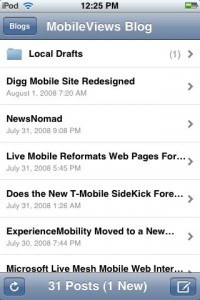
It isn’t often that a mobile software tool completely changes the workflow of something I’ve done for a long time or changes the way I think about performing a desktop task. But, the free WordPress for iPhone app has managed change the way I create blog items and the way I think about my blogging workflow.

My typical workflow for writing about smartphone software or web services used to work like this: I would write a note about the topic using something like Word Mobile or Word Excel on my Window Mobile smartphone. Then, I would use Ilium Software’s free (and still awesome) Screen Capture utility to capture a screen. Then, I would either email the BMP image file (not a good idea because BMP files are relatively large and I am on a relatively slow EDGE network) or wait until I get back to my desktop and copy the files from the smartphone to the PC using ActiveSync. Then, I’d convert the BMP file to a GIF or JPG file to reduce the file size, upload it to this blog, and finally start writing the blog entry.

WordPress for iPhone on my iPod touch has simplified this Rube Goldberg-like process to this: Capture a screen on the iPod touch, write a blog entry using WordPress for iPhone, attach the screen shot, post it to my blog.

Sometimes, there is another step or two added to this. For example, this blog entry and the one that preceded it both started on my iPod touch. However, I saved the starter blog entry and the screen shot as a draft instead of publishing right away. Then, I moved to a desktop computer and finished writing the blog there since it is easier to type with a full keyboard.

This has really made blogging here much simpler and faster. And, it is probably why you may have noticed that I post more items about the iPhone/iPod touch here than I did in the past. Now, if only there were a WordPress for Windows Mobile, I would be a lot happier since typing on a Windows Mobile physical thumb keyboard is still a lot easier and faster than typing on the iPod touch’s on-screen virtual keyboard.

Apple
iPod

Comments (0)

Permalink

Bloomberg App for iPhone Very Nice

The Bloomberg app for the iPhone 3G is much nicer and has more functionality than I expected. Thumbs up for this app.

photo

Apple
Mobile Devices
iPod

Comments (0)

Permalink

USA Today for iPhone

Yet another major website created a site optimized for the iPhone. This time it is USA Today at…

iphone.usatoday.com

photo

Apple
Mobile Devices
iPod

Comments (0)

Permalink

Vote iPhone Apps Up or Down at Lockergnome

If you head over to a LockerGnome web page at…

http://iphone.lockergnome.com/

…you can (after registering) vote iPhone apps up or down Digg-style.

Apple
iPod

Comments (0)

Permalink

Google Talk for the iPhone


What? Another site only for the iPhone? This time Google announced Google Talk for the iPhone. Just head to…

http://www.google.com/talk

…on your iPhone or iPod touch (my touch is in the photo above). If you have a Windows Mobile device, don’t bother. The talk link above just takes you to the normal Google Talk page that tells you to download the Windows XP/Vista client.

Apple
Mobile Devices
iPod

Comments (0)

Permalink

Friendfeed iPhone Formatted Site


Yep, another major (large) website built something specifically for the iPhone. This time it is Friendfeed.com. If you don’t have an iPhone or iPod touch, you can visit…

http://friendfeed.com/i

…to see what it looks like. The photo above is the site on my iPod touch.

Apple
Mobile Devices
iPod

Comments (0)

Permalink

iPhone vs. Blackberry & Android Vs. Windows Mobile

I’ve noticed some talk of comparing the upcoming phones based on Google’s Android platform to Apple’s iPhone. But, if you look at the platforms (literally and figuratively), the comparion doesn’t actually make any sense except in the fact that all these platforms will compete with each other.

Apple and RIM are more alike than Apple and Google. Both Apple and RIM control both the hardware and the software. Both own their respective market spaces at the moment: Apple iPhone = Consumer and RIM Blackberry = Business. And, both are trying to cross over into the other’s market territory.

Google Android is more like Microsoft Windows Mobile. Both are software reference platforms that rely on third party hardware manufacturers to deliver products to the market. Microsoft has no branding mind-presence in the market (no casual observer asks if you are using a Windows Mobile based phone). Google may find itself with the same problem. This may be ok if a single manufacturer (say HTC) hits a home run on the first swing and everyone identifies the “Google Phone” with that one device or brand. But, if Android phones are diffused in the market with lots of brands, form factors, and models, no one will care enough to ask if you are using a Google Android phone.

Google has one huge advantage though: It has no legacy products to worry about destroying. Microsoft has had to reduce the functionality of Windows CE/Mobile since day one to make sure it does not destroy the existing Windows 95/98/Me/NT/2000/XP/Vista market. It had to reduce the functions of Word, Excel, and PowerPoint Mobile to keep Microsoft Office at the top tier. Microsoft didn’t provide syncing to its Live/MSN cloud services (calendar, contacts, tasks) to protect Microsoft Outlook and Microsoft Exchange Server. Google doesn’t have this problem. They have just one platform: The Google Cloud.

Microsoft has to be willing to destroy itself in order to move forward in the mobile/cloud age. Couple of words/proper nouns to the wise: Pony Express, Western Union, DEC.

Mobile Devices
Pocket PC/Phone Edition
Smartphone
Windows Mobile

Comments (1)

Permalink

iPhone/iPod touch: Tap Top Tip

I’ve had my iPod touch since, hmm, last October. But, I only learned about this iPhone/iPod touch browser tip a week ago. One web page design convention for iPhones is to put a tabbed row at the top of a web page for navigation. This tab set disappears if you are reading a long page that scrolls down. If you tap the top of the screen, you are flung back to the top of the page and, therefore, back to the nav row. I really should read product documentation more :-)

Apple
Back to Basics
iPod

Comments (0)

Permalink