- Pro tip: If you are an Audible subscriber, Audible provides a selection of short books from which you can select two each month for free. This month, in addition to the two books you can select, you can also choose to download a third book titled Jingle Bell Pop: How to Make a Holiday Hit. The titles of the two free audio books I choose are: Christmas Eve 1914 and Alien: Out of the Shadows.
- I first thought that saying”OK Google, play the news” displays video news clips compared to saying just “news” and getting audio-only news. However, this just happened to be the case at the time of my first test. You can, however, modify the news source list on an Android device (but apparently not the Smart Display itself) to include video news sources. Collaborating on the future of audio news for the Assistant
- FaceTime in 12.1 can take live photos
- Google Android Call Screen on Pixel 2 not what I expected
- Jon’s Rant about Outlook for iOS – yes, some nice features. Yes, nice design. But Microsoft To-Do Sucks, why can’t we have that in Outlook?!?
- Jon’s ProTip – Don’t forget about the Wayback Machine (www.archive.org)
Tag Archives: google
Google app for iOS gained keyboard shortcuts
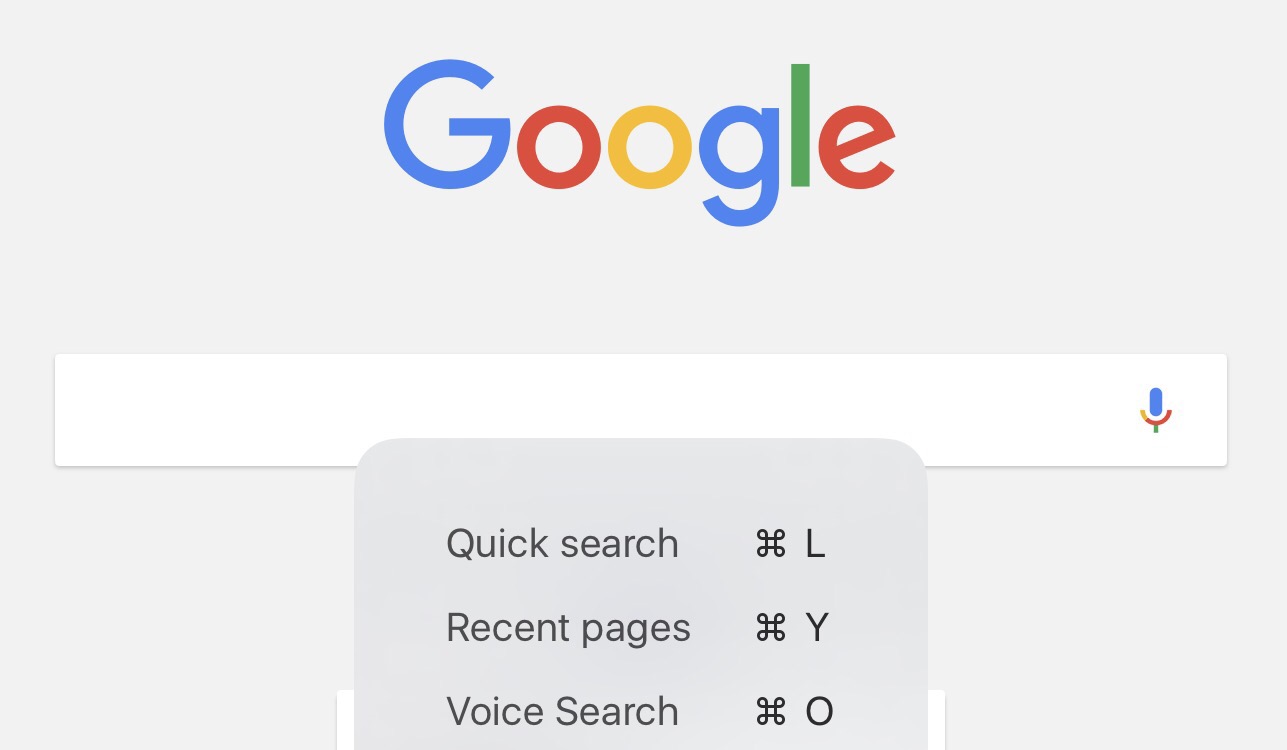
This week’s update to the Google app for iOS adds keyboard shortcuts if you have a physical keyboard for your iPad. This is what I see if I press and hold the Command key on an Apple Smart Keyboard when viewing the default Google start screen. If you are in the search text box, Command L cancels the search.
Command L = Quick search
Command Y = Recent pages
Command O = Voice search
Google Search “my photos” of search feature nice but needs tuning
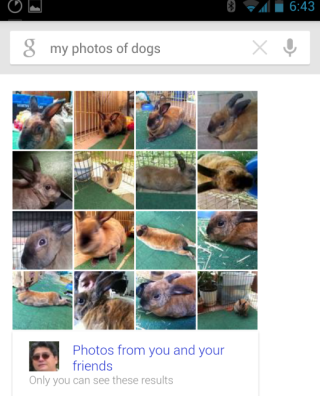 Google Search’s new ability to use natural language to search through your personal photos is a neat bit of programming and pattern recognition. But, like any new feature, it may need a bit more tweaking.
You can see the result of a search for “my photos of dogs” resulted in photos of our pet rabbit! FYI: Searching for “my photos of rabbits” resulted in no search results.
You can learn more about this new feature in Google’s Inside Search blog:
A dissenting opinion: Google+ 2.0 for iPhone is awful

Everyone seems to think the recent Google+ 2.0.0 for iPhone update is the best thing since the sliced bread. I, however, have a very different opinion of the updated app: It is terrible in general and provides an especially awful experience on an iPad.
Continue reading
Google Docs app became Google Drive on Android. Widget disappeared. Rate going up 600%?
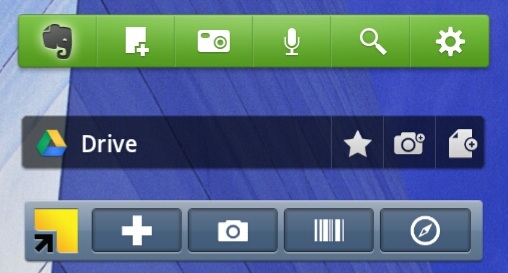
Google finally announced its Google Drive product that competes with Dropbox, Box, Microsoft SkyDrive and other cloud storage products. One of the effects of this launch is that the Google Docs for Android app was updated and renamed Google Drive. Installing the updated and renamed app on my Android tablet resulted in its widget disappearing from my home screen. This was remedied by installing the updated widget. But, it would have been nice if Google had done that for me during the update.
Continue reading
Replace “telephone company” with “Google” or “Microsoft” in this 1960s Lily Tomlin customer service video
Microsoft let Windows Mobile users know that the Windows Mobile Marketplace will shut down on May 9, 2012 and that Applications and games acquired from the Windows Mobile 6.x Marketplace service installed on your Windows Mobile 6.x phone will continue to work after the service is discontinued on May 9, 2012. However, additional downloads of these applications and games from the Windows Mobile 6.x Marketplace service will no longer be available. This may not be a huge issue for people who did not buy apps through the marketplace (I did not). But, it may be a problem for those who did and need to hard reset a Windows Mobile device to restore functionality. People who bought Windows Mobile phones in the fall of 2010 before Windows Phone was released will have a less than 2 year old phone that cannot restore some apps in the event of a loss or hard reset.
This situation also illustrates a problem with all of the single platform stores that have sprung up since Apple led the way with its ultra-successful iOS App Store, however. And, it makes one pause to wonder what will happen if Microsoft ever stops supporting the Windows 8 app store since WOA users cannot get apps outside of that venue.
The 1960s Lily Tomlin video above may be useful in attempting to understand Microsoft’s (and perhaps Google too) customer service attitude.